 Vue Custom Directives and Composables — Advanced Vue, Extra Part 1
📅
v-if and v-model directives.
A directive is a special attribute with the v- prefix that declaratively manipulates the DOM when applied to an HTML element.v-focus.<script setup lang="ts">
import { onMounted, ref } from 'vue'
// 'vFocus'라는 이름으로 커스텀 디렉티브를 정의합니다.
// Vue는 카멜 케이스(vFocus)를 케밥 케이스(v-focus)로 자동 변환해 줍니다.
const vFocus = {
// 디렉티브가 바인딩된 요소가 DOM에 삽입되었을 때 호출됩니다.
mounted: (el: HTMLElement) => {
el.focus()
}
}
</script>
<template>
<!-- 이제 어떤 입력창이든 v-focus만 추가하면 자동으로 포커스됩니다. -->
<input v-focus placeholder="페이지 로드 시 포커스됩니다." />
</template>vFocus object and uses the mounted hook.
The hook runs immediately after the <input> element receiving the directive appears on screen.
It receives that element as el and simply calls el.focus().use.useMouse composable to track mouse position.
Create a src/composables folder and add useMouse.ts.import { ref, onMounted, onUnmounted } from 'vue'
// 컴포저블 함수는 특별한 것이 아니라, 그냥 함수입니다.
export function useMouse() {
// 컴포저블 내부에서 상태를 관리합니다.
const x = ref(0)
const y = ref(0)
// 컴포저블 내부에서 생명주기 훅을 사용하여 이벤트를 관리할 수 있습니다.
function update(event: MouseEvent) {
x.value = event.pageX
y.value = event.pageY
}
onMounted(() => window.addEventListener('mousemove', update))
onUnmounted(() => window.removeEventListener('mousemove', update))
// 관리하던 상태를 객체로 반환하여 외부 컴포넌트에서 사용할 수 있도록 합니다.
return { x, y }
}useMouse composable can now be imported and used easily in any component.<script setup lang="ts">
// 우리가 만든 컴포저블을 임포트합니다.
import { useMouse } from '@/composables/useMouse'
// 함수를 호출하여 마우스 위치 상태를 가져옵니다.
const { x, y } = useMouse()
</script>
<template>
<div>
마우스 위치: {{ x }}, {{ y }}
</div>
</template>useMouse.
The component only needs to read and use x and y.useMouse function can be reused by any component that needs 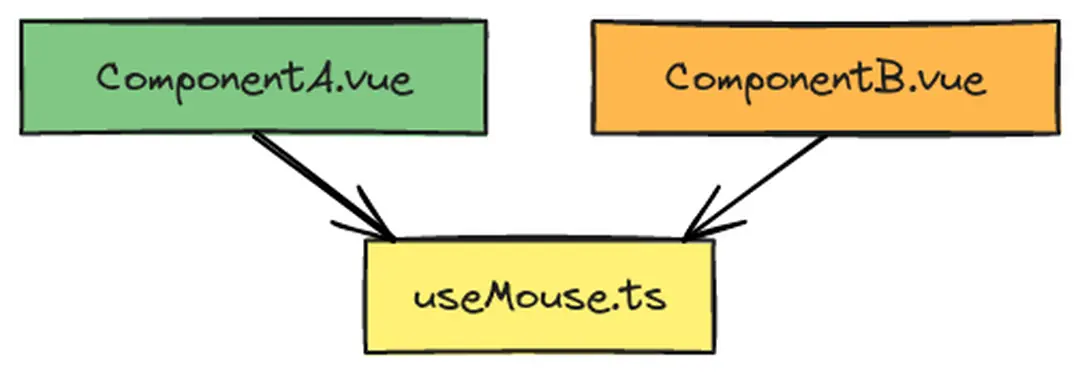
v-focus.Extra Part 2 exploresSlotandTeleport, which make components more flexible.