 Introducing PortRhythm, a Portfolio Management App
📅
PortRhythm helps investors manage their assets effectively.
One app for Korean stocks, one for foreign stocks, and one for crypto.
I went through three apps just to check my balances.
I could tell how much was in each account, but I still had one question.“Where exactly is my money invested, and how much is in each place?”
This month's investment money had come in, too.
Should I buy more of what had gone up lately?
Or buy what had fallen?
Before deciding, I wanted to check
the allocation I had originally planned
.
That question led me to build PortRhythm
.👨💻
See all your assets at a glance. Make your next allocation on your own terms.
PortRhythm is a
portfolio management web app that lets you compare your actual allocation with your investment plan
, bringing together Korean and U.S. stocks, ETFs, crypto, and cash.
Explore PortRhythm↗Asset Dashboard 🔗
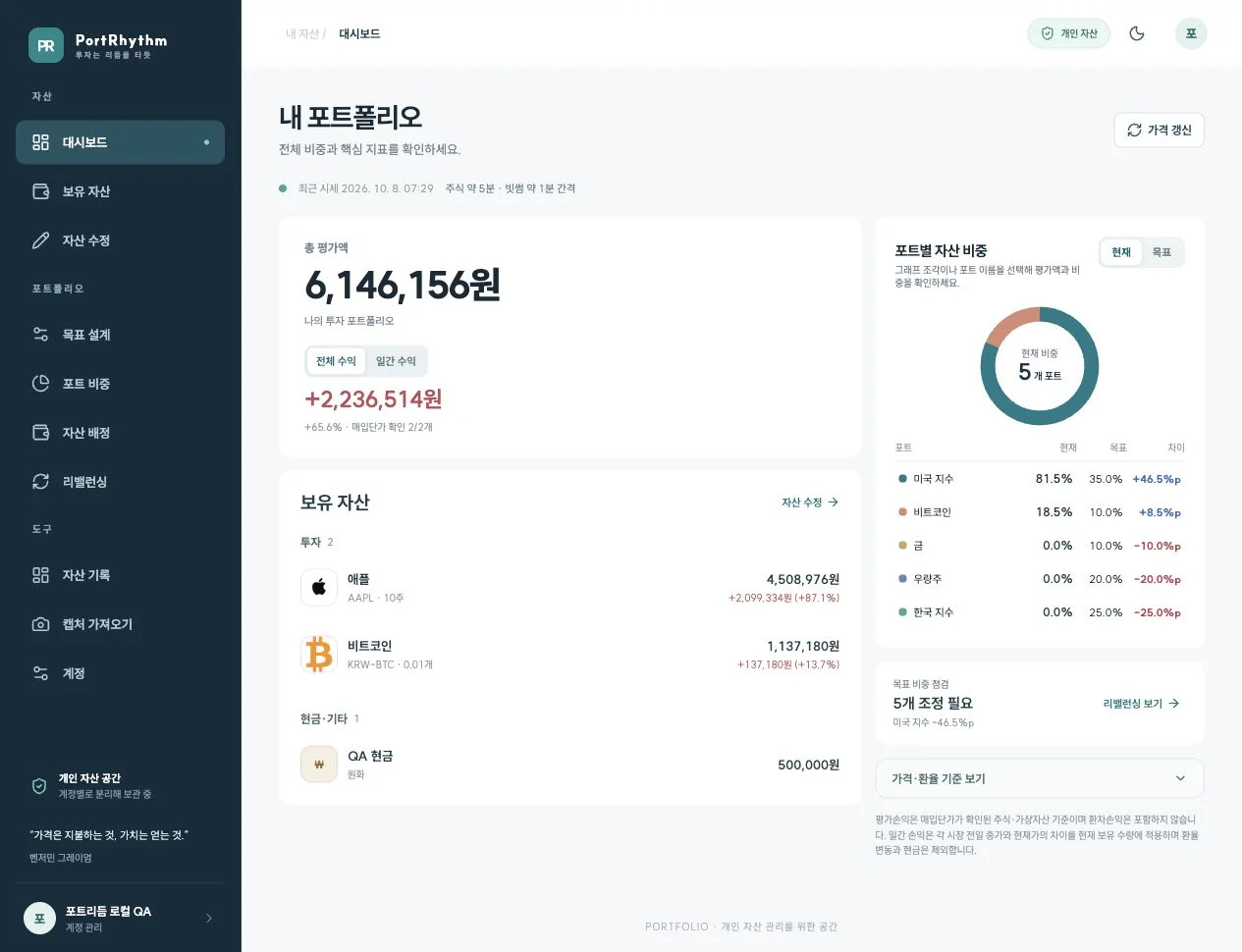
“How much do I have in U.S. ETFs? What if I include cash?”
You can see the numbers you used to check in each account in one place.
Dollar-denominated assets are converted to Korean won using the applicable exchange rate before they are included in the total.
- See what your assets are worthView the value of your stocks, crypto, and cash together in Korean won.
- See which holdings movedSwitch between total and daily gains and losses.
- See whether you hold the same stock in multiple accountsGroup holdings by security and check the breakdown by account.
Prices are refreshed periodically.
You manage quantities and purchase prices yourself. For supported balance screenshots, OCR can help with data entry.
Set Target Allocations 🔗
At first, I decided to put just 20% into one group.
Then one day I checked and found it had reached 28%.
Price changes can shift your allocation even when you haven't bought anything new.
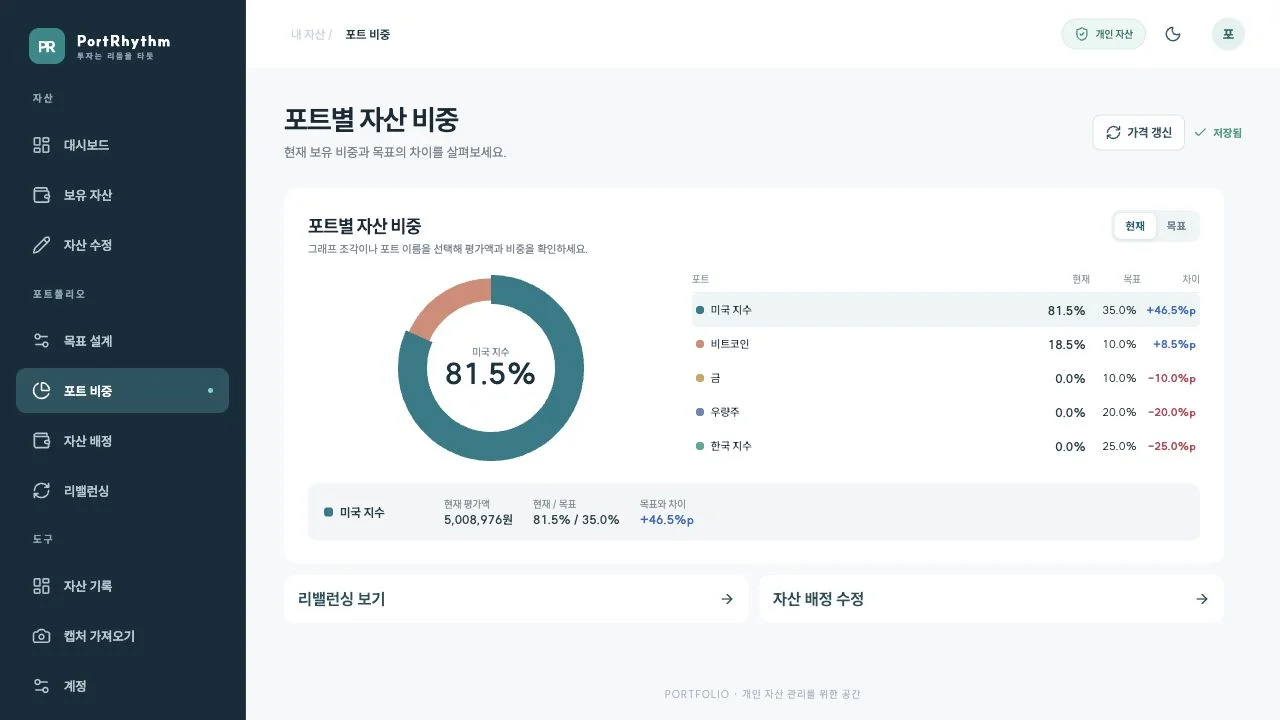
In PortRhythm, you create
ports
, or buckets, for your assets.
Give them names such as ‘U.S. Indexes,’ ‘Korean Stocks,’ or ‘Cash,’ and set a target allocation for each.Charts and numbers show
which buckets are above target and which are below
.👍
Alongside today's price changes, check whether your assets are still allocated according to your plan.
You choose your own port names and allocations. The percentages shown are examples.
Rebalancing 🔗
Once you find a bucket below its target, the next question is how much you can add.
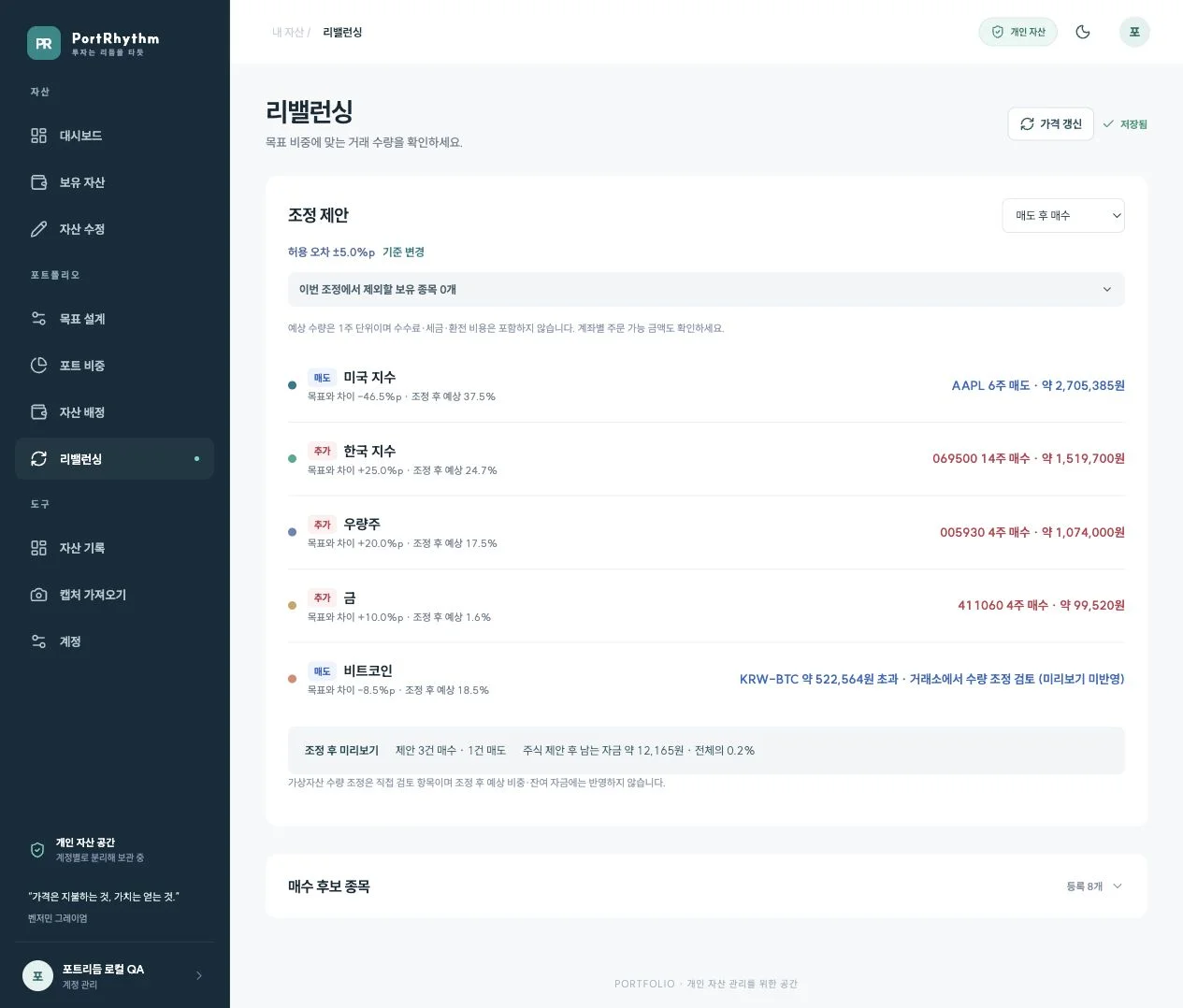
“How much of the gap can this month's investment close?” Adjusting your allocation to bring it back in line with your plan is calledrebalancing.
PortRhythm lets you review two approaches based on your situation.
| Your situation | Approach |
|---|---|
| You want to sell some existing shares to fund another bucket | Sell, then buy |
| You want to keep existing holdings and invest new money | Buy with new funds |
Based on the stocks you entered and the ones you are considering buying, you can see
how many shares to trade, how your allocation would change, and how much cash would remain
.
You can also exclude holdings you want to leave alone this time.👍
Use this screen to review trades before placing them.
Place orders with your brokerage or exchange and check transaction costs and execution prices.How are trade quantities calculated?
Stock quantities are calculated in whole shares.
Your budget and share prices may leave you with some cash or a gap from your target allocation.
For crypto, review the amount above or below target yourself. The app does not calculate trade quantities automatically.
Investment Records 🔗
It's good to see your assets grow. But if you've also added money, the entire increase isn't investment profit.
Keep
daily valuation history and deposit and withdrawal records
together so you can see how the size of your portfolio changes.After trading, update the quantities you actually hold and their purchase prices.
Your next allocation review starts with those figures.
Plan → Bring assets together → Check allocations → Review adjustments → Record changesPortRhythm is designed to make that routine easy to repeat.
Start with a Few Key Holdings 🔗
Trying to enter everything at once can make it harder to get started.
Begin with a few ports and your main holdings.
- Sign inUse your Kakao or Naver account.
- Create your bucketsName your ports and set their target allocations.
- Add your assetsEnter your holdings and assign them to ports.
- Compare allocationsCheck your current allocation against your targets.
👍
If you enter only some of your assets, allocations reflect only those holdings. Check that all the assets you want to manage are accounted for before making an investment decision.
Invest at your own pace and stick with the plan you set.
Create your first portfolio in PortRhythm↗
If you'd like to look around before signing in, see the service overview↗ and the user guide↗.Continue Reading 🔗
“How do you put target allocations to work in actual investing?”
Part 1 — Portfolio Asset Allocation and Rebalancing↗ explains the investment principles behind PortRhythm.
From Part 2 onward, we will walk through setting up and using individual features.